Welcome to AV Actions, your go-to provider for video wall rental in Washington D.C.
We offer exceptional video LED wall rental services tailored to meet your needs.
We are an east-coast Audio-visual event Production, staging, and LED Wall company based in Virginia. We serve the greater Washington DC area with full-scale live and virtual event production, including video LED wall rental.
With over 25 years of experience in providing AV rentals and event production services, you can rely on our qualified technicians. We produce uninterrupted, quality events that your audience will remember.
LED video wall rental and production solutions
We provide complete Indoor and outdoor LED Video Wall rental and production solutions. From concept design, delivery, and setup to programming and configuration, video switching operation, live video production, and removal.
OUR EVENT PRODUCTION SERVICES
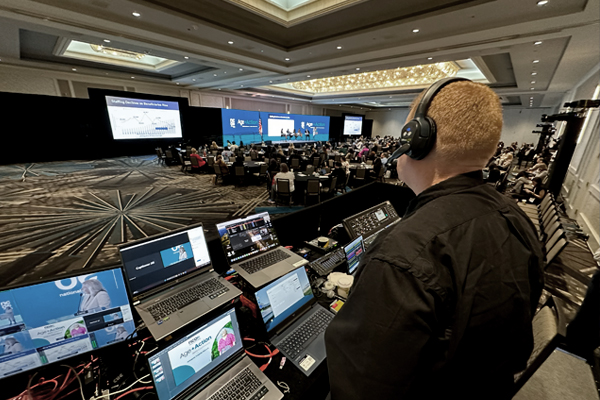
Event Production
Consult / Design / Produce
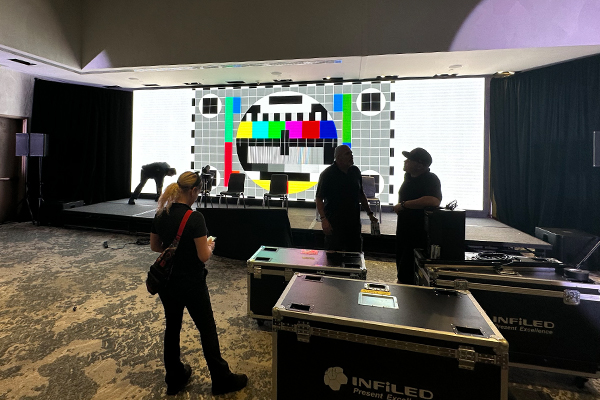
Video LED Wall Production
Design / Setup / Operation
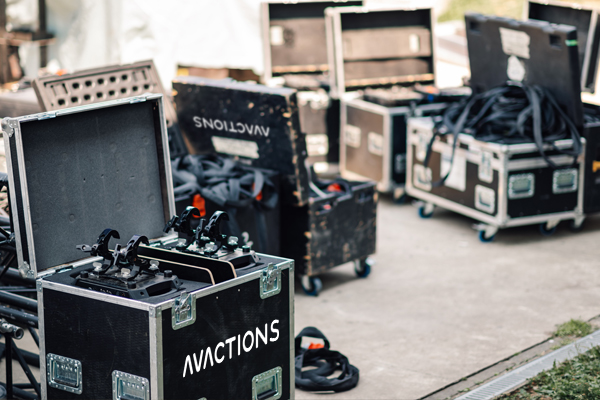
AV Equipment Rental
Reliability Delivered
Our clients
What our clients say
Reviews


AV Actions Studio
An Outstanding Venue, Professional Team, and True Community Partner!
We had an excellent experience with AV Actions Studio in Alexandria, Virginia. Our team at Eventopia Events, Media & Communications recently used the studio for our Alexandria National Coffee Day 2026 Proclamation Celebration, and the support we received contributed greatly to the success of the event.
From the beginning, AV Actions demonstrated professionalism, hospitality, flexibility, and a genuine commitment to community. The studio provided a welcoming environment for our guests, speakers, community leaders, and partners, while the audiovisual resources helped us deliver a polished and engaging program.
What impressed us most was that AV Actions was more than simply a venue. They treated us like a partner. Their generosity in supporting the event with the space and audiovisual equipment demonstrated what meaningful community partnership looks like.
The studio is an excellent option for community events, networking programs, presentations, interviews, podcasts, workshops, business gatherings, cultural programs, and media productions. Having both event space and audiovisual capabilities available in one location makes organizing a professional program much easier.
We sincerely appreciate the AV Actions team for helping us turn our vision into reality and for supporting an event that brought people together around coffee, culture, community, and opportunity.
Highly recommended to organizations, entrepreneurs, nonprofits, creatives, and event organizers looking for a professional and community-minded studio in Alexandria.
Thank you, AV Actions Studio, for being an outstanding partner. We look forward to working together again!
— Eventopia Events, Media & Communications
Building Impact. Creating Value. Strengthening Community.
An Outstanding Venue, Professional Team, and True Community Partner!
We had an excellent experience with AV Actions Studio in Alexandria, Virginia. Our team at Eventopia Events, Media & Communications recently used the studio for our Alexandria National Coffee Day 2026 Proclamation Celebration, and the support we received contributed greatly to the success of the event.
From the beginning, AV Actions demonstrated professionalism, hospitality, flexibility, and a genuine commitment to community. The studio provided a welcoming environment for our guests, speakers, community leaders, and partners, while the audiovisual resources helped us deliver a polished and engaging program.
What impressed us most was that AV Actions was more than simply a venue. They treated us like a partner. Their generosity in supporting the event with the space and audiovisual equipment demonstrated what meaningful community partnership looks like.
The studio is an excellent option for community events, networking programs, presentations, interviews, podcasts, workshops, business gatherings, cultural programs, and media productions. Having both event space and audiovisual capabilities available in one location makes organizing a professional program much easier.
We sincerely appreciate the AV Actions team for helping us turn our vision into reality and for supporting an event that brought people together around coffee, culture, community, and opportunity.
Highly recommended to organizations, entrepreneurs, nonprofits, creatives, and event organizers looking for a professional and community-minded studio in Alexandria.
Thank you, AV Actions Studio, for being an outstanding partner. We look forward to working together again!
— Eventopia Events, Media & Communications
Building Impact. Creating Value. Strengthening Community.